
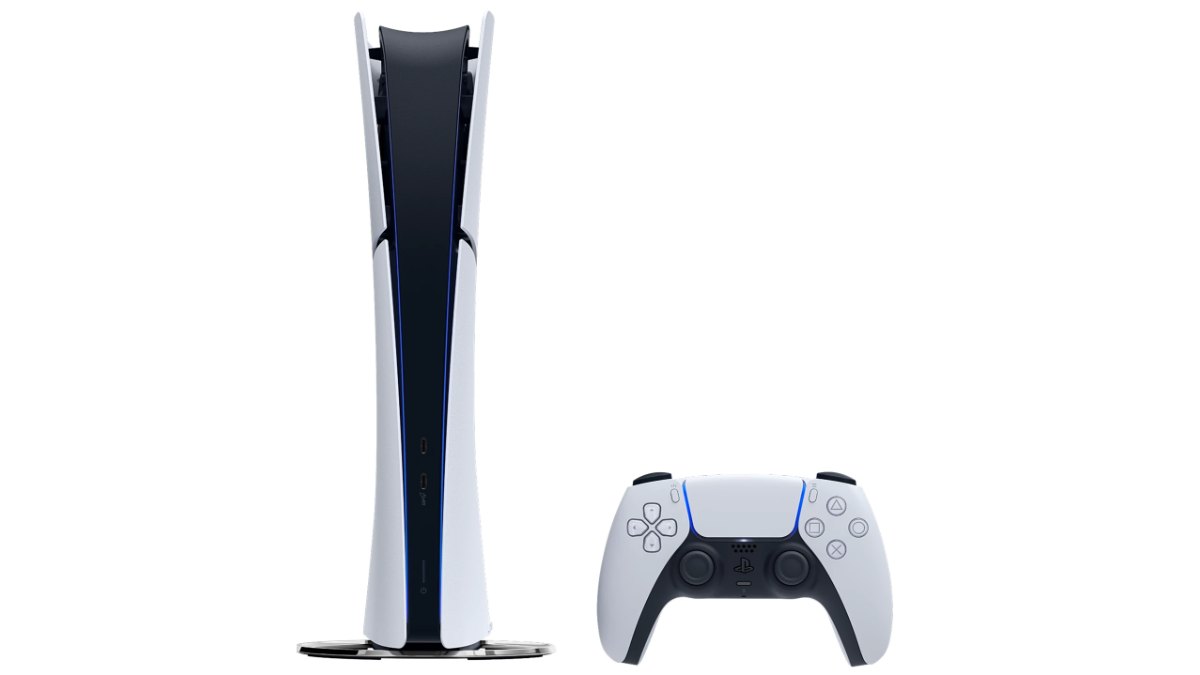
The PS5 Slim versus original question has a simple answer for game performance: neither console gives you a better frame rate, higher resolution, or a different PlayStation 5 game library. Sony redesigned the hardware around a smaller case, more built in storage, and a modular disc drive option. Those changes matter a lot if space, physical games, or future flexibility matter to you.
For most players buying a PS5 now, the Slim is the practical pick because it is the current design and offers 1 TB of internal storage. An original PS5 remains an excellent console if you already own one, especially a disc model with enough room for your installed games. There is no reason to replace an original console solely for performance.
PS5 Slim versus original at a glance
Sony’s launch era PS5 models and the PS5 Slim use the same core PlayStation 5 platform. They play the same PS5 and compatible PS4 games, support the same PlayStation Store, use the same DualSense controller, and can use the same M.2 SSD expansion feature when the drive meets Sony’s requirements.
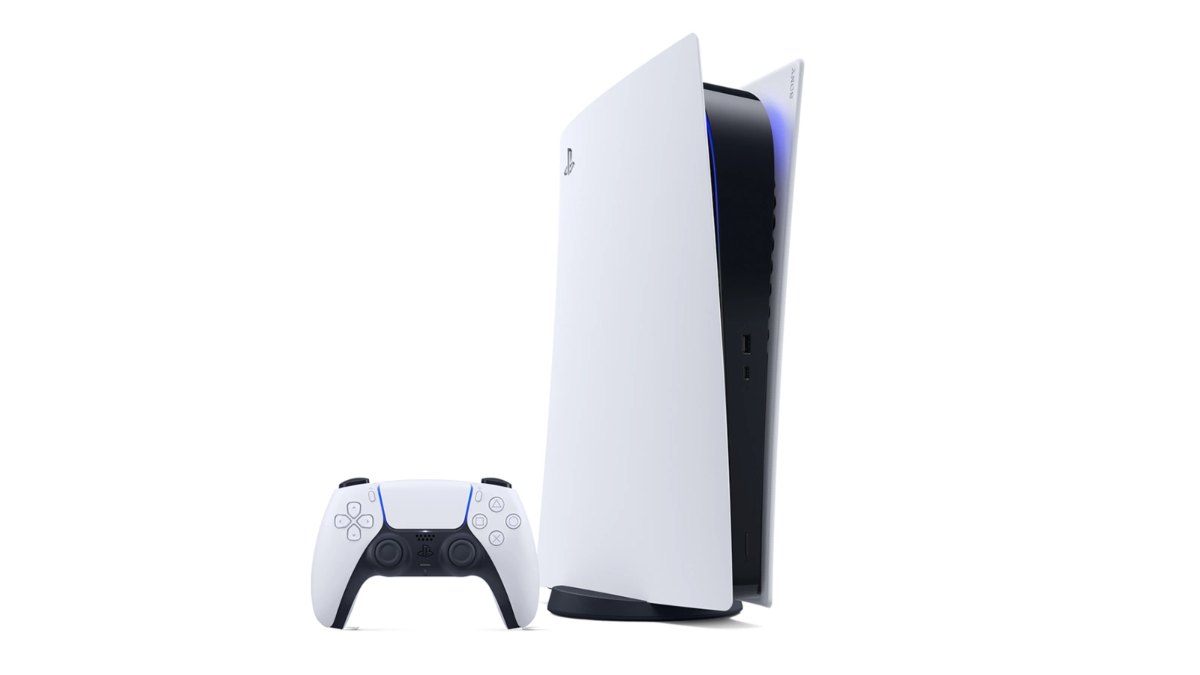
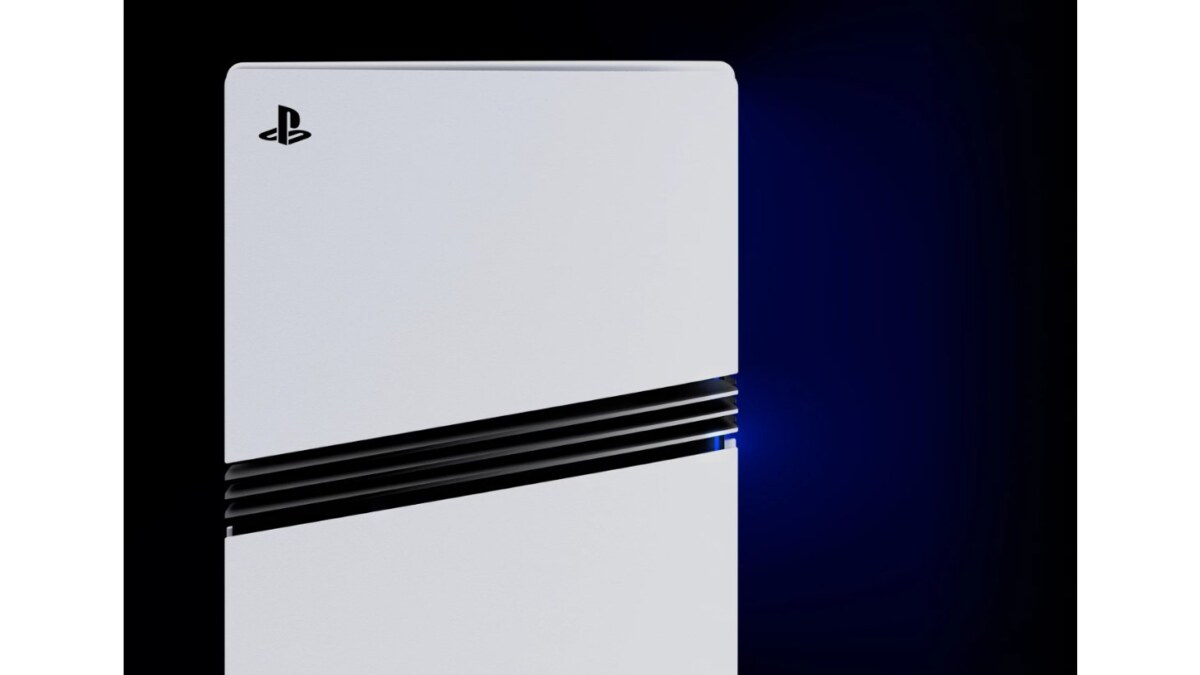
The important distinction is physical design. Sony reduced the size of the console and split the outer panels into four sections on the Slim. The newer disc console has a detachable Ultra HD Blu ray disc drive, while the Slim Digital Edition can accept a compatible disc drive later. The original Digital Edition does not have that upgrade path.
Sony lists the launch original PS5 disc console at 390 mm wide, 104 mm high, and 260 mm deep, with a mass of about 4.5 kg. The Slim disc console is 358 mm wide, 96 mm high, and 216 mm deep, with a mass of about 3.2 kg. Those are meaningful reductions for a crowded media cabinet, but the PS5 Slim is still a large console compared with a Nintendo Switch or many compact PCs.
The same pattern applies to the all digital versions. The launch original Digital Edition is listed at about 3.9 kg, while the Slim Digital Edition is about 2.6 kg. If you move your console between rooms, carry it to local multiplayer nights, or need it to fit a narrow shelf, the difference is easy to understand on paper.
Performance is the same where it counts
This is the part marketing images can make confusing. The PS5 Slim is not a PS5 Pro, and it does not replace the original PS5 with more powerful graphics hardware. Sony’s official technical specifications retain the same AMD based CPU and GPU architecture, 16 GB of GDDR6 memory, and PlayStation 5 feature set.
That means a game such as Marvel’s Spider Man 2, Final Fantasy VII Rebirth, Astro Bot, or Gran Turismo 7 does not gain a Slim only graphics mode. Any performance mode, quality mode, ray tracing option, 120 Hz mode, or variable refresh rate support depends on the game, your display, and the PS5 software features available to both console designs.
Load times should not be treated as a reason to swap hardware, either. Both use the same PlayStation 5 approach to high speed SSD storage. A game can still load differently after an update or between modes, but that is a game and software question, not a Slim advantage.
There can be small differences between individual console revisions in cooling design, power use, or fan behavior. Sony has released multiple PS5 hardware revisions over the console’s life. Without comparing a specific model number under the same conditions, it is better not to promise that one PS5 design is quieter or cooler in every home.
Storage is a real Slim upgrade
The original PS5 launched with an 825 GB internal SSD. The PS5 Slim includes a 1 TB internal SSD. The usable space shown on a console will be lower than the advertised capacity because system software needs room, but the Slim still starts with more room for games.
That extra capacity is useful because current PS5 games can be substantial installs, particularly if you keep several big single player games and live service titles available at once. It can save you from deleting something just to install the next release.
Still, storage alone should not push an original PS5 owner into an upgrade. Both designs have an internal M.2 SSD slot for compatible expansion storage. Sony specifies that an expansion drive must meet its supported requirements, including PCI Express Gen4 x4 M.2 NVMe compatibility and the required performance specification. An original PS5 with a correctly installed expansion SSD can provide far more game space than an unexpanded Slim.
For a new buyer, 1 TB is simply a better starting point. For an existing owner, adding storage is usually the more targeted answer if capacity is the only problem.
The disc drive difference can decide the purchase
The original PS5 came in two fixed forms. Buy the disc console and it includes an Ultra HD Blu ray disc drive. Buy the original Digital Edition and it stays digital only.
The Slim changes that choice. The Slim disc model includes a detachable drive. The Slim Digital Edition has a cover that can be removed so a compatible Sony disc drive can be added later. Sony states that the console needs an internet connection to pair that drive during setup.
That flexibility is valuable for players who are unsure whether they want to buy physical games. You can start with the digital console and add disc support if you later want to borrow games, shop used copies, build a boxed collection, or use supported Blu ray and Ultra HD Blu ray discs.
It is not a reason to assume digital is always the cheaper long term route. Physical and digital game prices change independently, and a disc console also creates access to a different buying and borrowing market. On the other hand, a player who buys only from the PlayStation Store and never watches discs may not get meaningful value from a drive.
If you own an original Digital Edition, this is the clearest feature you cannot add later. If you own an original disc PS5, you already have the functionality that matters.
Placement, stands, and your entertainment center
Sony includes two small horizontal feet with the Slim. A vertical stand is sold separately for the Slim models. The launch original PS5 included a base intended for both horizontal and vertical positioning.
This sounds minor until you measure your space. The Slim’s reduced depth is particularly helpful in cabinets where the original PS5 sits close to the rear panel. Leave adequate ventilation room around either console. A smaller shell does not remove the need for airflow, and enclosing any PS5 tightly can create heat and dust problems over time.
The Slim’s panel layout also affects how it looks in a room. Some players prefer its segmented white panels, while others like the uninterrupted curves of the launch console. Neither design is objectively better, but the original PS5 has a more dramatic profile and the Slim is easier to accommodate.
Who should keep the original PS5?
Keep an original PS5 if it runs well, fits your setup, and has the storage and disc support you need. Its games, accessories, controller features, and core console experience remain current. Buying a Slim will not improve the visual settings available in a game or shorten every load screen in a meaningful way.
An original disc PS5 is particularly easy to keep because its built in drive already handles the physical media use case. You can expand storage with a compatible M.2 SSD instead of replacing the console. That route makes more sense than treating the Slim as a required upgrade.
The original Digital Edition is more situational. If you are happy buying digital games, it remains fully capable. If you now want physical discs, the lack of a supported add on drive is a legitimate reason to consider the Slim disc model or Slim Digital Edition with Sony’s compatible drive.
Which PS5 should a new buyer choose?
Choose the PS5 Slim disc console if you want maximum flexibility from day one. It supports digital purchases and physical games, begins with 1 TB of storage, and takes up less space than the launch model.
Choose the Slim Digital Edition if you know digital ownership suits how you buy games, but appreciate the option to add Sony’s compatible drive later. That option makes it less restrictive than the original Digital Edition.
The best purchasing decision is not about chasing an imagined performance gap. Think about where the console will sit, how many games you keep installed, and whether discs matter to you. The PS5 Slim is a smarter new purchase, while the original PS5 is still exactly the same generation of game machine it was before the smaller case arrived.
Follow GamingBroject on Google: add us as a preferred source


Community
0 comments