
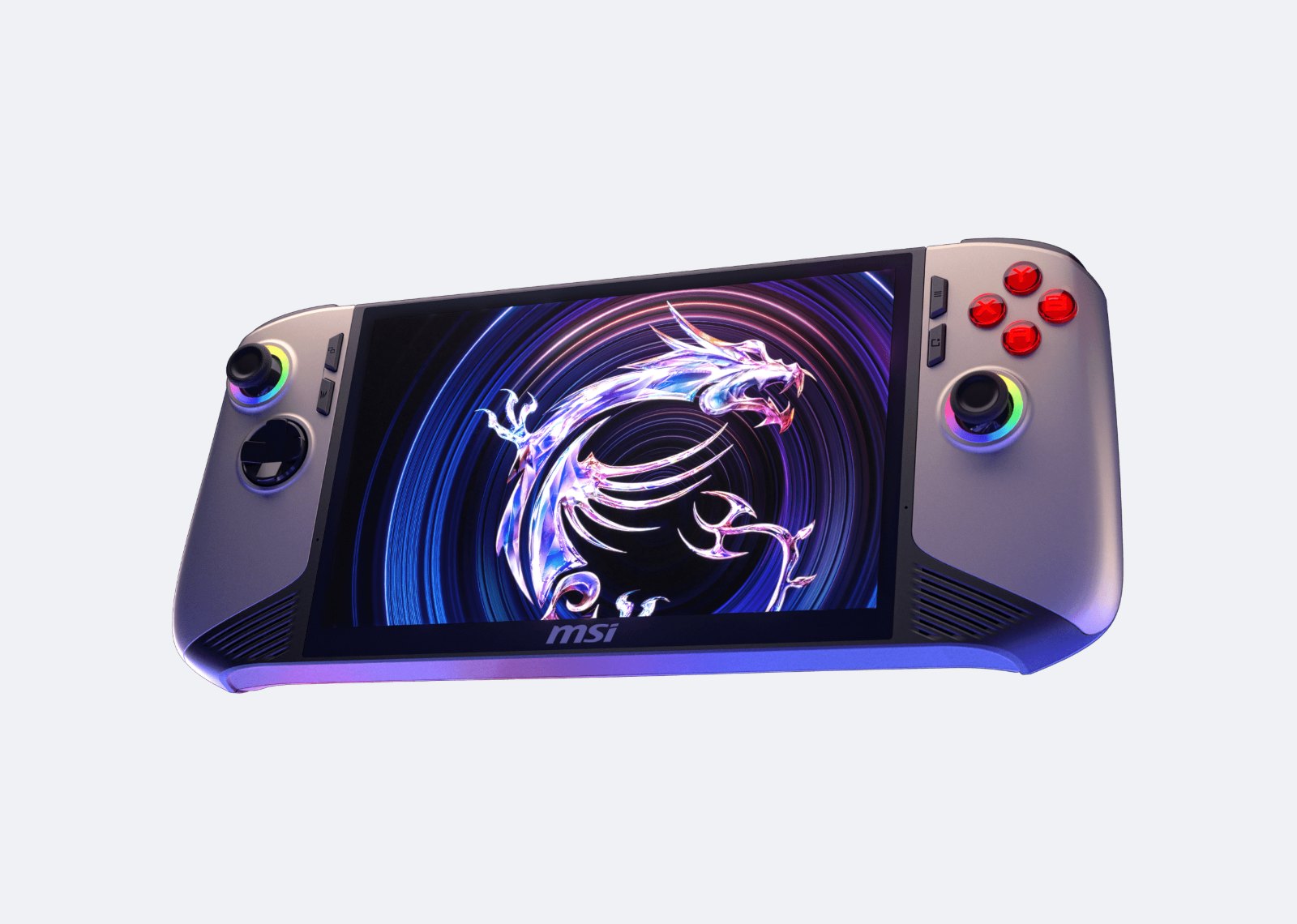
A PC gaming handheld comparison gets complicated the moment you stop looking at spec sheets. Steam Deck, ASUS ROG Ally, Lenovo Legion Go, and MSI Claw can all run PC games in a compact format, but they solve different problems. The right pick depends less on a single benchmark result than on your library, the games you actually play, and how much Windows troubleshooting you are willing to tolerate on a small screen.
For most players who want a portable PC that feels like a console, Steam Deck OLED remains the easiest starting point. Players who prioritize newer AAA games, PC Game Pass, competitive multiplayer, or a higher resolution display should look more closely at Windows handhelds. That distinction matters more than marketing claims about raw performance.
PC Gaming Handheld Comparison at a Glance
| Handheld | Best fit | Main compromise |
|---|---|---|
| Steam Deck OLED | Steam libraries and couch play | Some anti cheat games and launchers do not run |
| ROG Xbox Ally X and ROG Ally | Windows and broad launcher support | Windows needs more setup on a handheld |
| Lenovo Legion Go Gen 2 | Big OLED screen and detachable controllers | Larger size is less comfortable for some hands |
| MSI Claw 8 AI+ and Claw A8 | 8 inch Windows handhelds with Intel or AMD chips | Software support and value differ by model |
The table is a shortcut, not a verdict. Performance changes by game, power mode, driver version, resolution, and whether you are playing from the device or streaming from another PC. A game that looks excellent at a lower resolution with upscaling may feel rough when pushed toward native resolution simply because the panel can display more pixels.
Key Specs From the Official Spec Sheets
| Model | Screen | Chip and OS |
|---|---|---|
| Steam Deck OLED | 7.4 inch HDR OLED, 1280 x 800, up to 90Hz | 6 nm AMD APU, SteamOS |
| ROG Xbox Ally X | 7 inch, 1920 x 1080, 120Hz | AMD Ryzen AI Z2 Extreme, Windows 11 Home |
| Legion Go Gen 2 | 8.8 inch OLED, 1920 x 1200, 144Hz | Up to AMD Ryzen Z2 Extreme, Windows 11 |
| MSI Claw 8 AI+ | 8 inch, 1920 x 1200, 48 to 120Hz VRR | Up to Intel Core Ultra 7 (Series 2), Windows 11 Home |
| MSI Claw A8 | 8 inch, 1920 x 1200, 48 to 120Hz VRR | AMD Ryzen Z2 Extreme, Windows 11 Home |
Battery capacity differs too. Valve lists a 50Wh battery for Steam Deck OLED, while ASUS and MSI list 80Wh for the ROG Xbox Ally X, the Claw 8 AI+ and the Claw A8.
Steam Deck OLED: The Easiest PC Handheld to Live With
Valve’s Steam Deck OLED is not the answer to every performance question, but it remains unusually coherent as a portable gaming machine. SteamOS launches into an interface built around a controller, sleep and resume are generally convenient, and the device has a large community documenting settings for individual games. Its OLED screen also improves contrast and perceived image quality in games that suit its resolution and performance range.
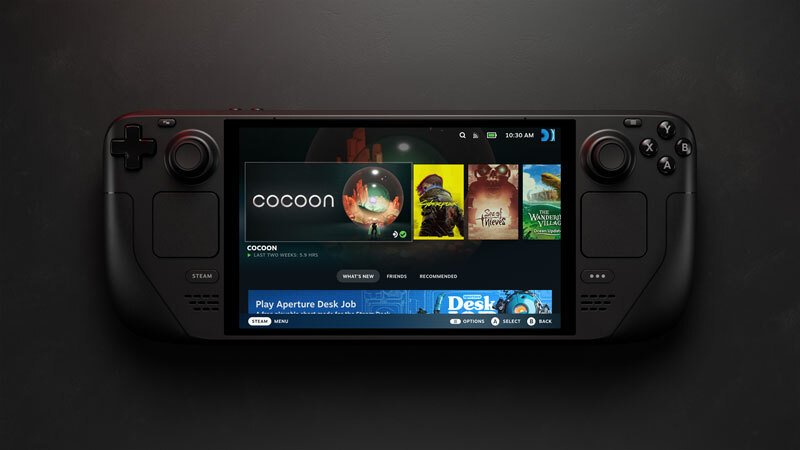
Valve’s spec sheet lists a 7.4 inch HDR OLED screen at 1280 x 800 and up to 90Hz, 16GB of LPDDR5 memory, 512GB or 1TB of storage with a microSD slot, and a 50Wh battery rated for 3 to 12 hours of gameplay depending on the content. Valve says that is 30 to 50 percent more battery life than the original LCD model.
The key limitation is compatibility rather than horsepower alone. Valve rates games as Verified, Playable, Unsupported or Unknown, and games that run through Proton also need their anti cheat to be supported. Many single player Steam games work well, but not every PC title does. Some games with anti cheat systems, unsupported launchers, or awkward controller interfaces can be a poor fit. Ratings can change as games and the Deck get updates, so check the current status of a game you care about instead of assuming a green label guarantees a flawless experience.
Steam Deck makes the most sense for someone whose backlog lives primarily on Steam and who prefers sensible settings over chasing maximum frame rates. It is also a strong choice for indie games, older PC releases, emulation where legally appropriate, and streaming from a desktop PC. If your weekly rotation includes multiplayer games that require Windows, the convenience advantage narrows quickly.
ROG Xbox Ally X and ROG Ally: Better Windows Access, More Windows Friction
ASUS ROG Ally models appeal for a simple reason: they run Windows. That means access to PC Game Pass, Battle.net, Epic Games Store, Ubisoft Connect, and games that do not behave well on SteamOS. For players who treat a handheld as a compact version of their normal gaming PC, this flexibility can outweigh the extra setup.
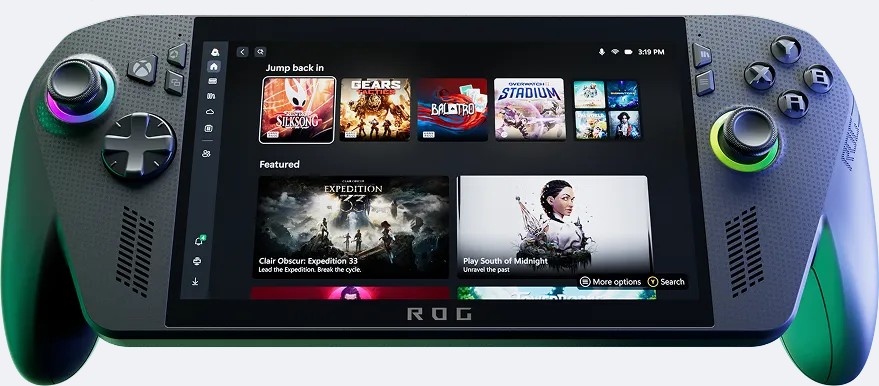
The catch is that Windows was designed around a mouse, keyboard, and larger display. ASUS adds its Armoury Crate Special Edition app for performance modes, fan curves and key mapping, and the newer ROG Xbox Ally X powers on directly into the Xbox full screen experience, a Windows mode built for controllers that replaces the desktop with a console style interface. You will still occasionally deal with small text, update prompts, multiple storefronts, and desktop navigation. It is manageable, not invisible.
The original ROG Ally and the newer Ally X models should not be treated as interchangeable listings. ASUS lists a 40Wh battery for the original ROG Ally (2023) and 80Wh for both the ROG Ally X (2024) and the ROG Xbox Ally X (2025), which moves to an AMD Ryzen AI Z2 Extreme chip with 24GB of LPDDR5X memory and a 1TB SSD. Older units can still appear in retailer searches, so compare the exact model, storage configuration, condition, and warranty before deciding that one deal is better than another. A cheaper older unit can make sense, but only if its battery life and storage limitations match how you intend to play.
For demanding recent games, an Ally can offer more headroom than Steam Deck when configured at higher power limits. That does not mean it will magically run every new release at high settings. Portable gaming still rewards compromise: lower resolution, reasonable texture settings, capped frame rates, and upscaling are often the smart settings, not a defeat.
Legion Go: Buy the Screen and Ergonomics, Not Just the Chip
Lenovo’s Legion Go line stands out with bigger screens. The current Legion Go Gen 2 pairs an 8.8 inch OLED display at 1920 x 1200 and 144Hz with detachable Legion TrueStrike controllers. The screen is a real benefit for strategy games, games with dense interfaces, and players who find seven inch screens cramped. Lenovo also sells the smaller 8 inch Legion Go S, including versions that run SteamOS instead of Windows.
Those benefits bring physical compromises. A bigger handheld is heavier, and comfort is personal. A device that feels excellent for an hour can become tiring in a longer RPG session. If possible, handle one before buying. If that is not possible, pay attention to dimensions, control placement, and whether you normally play in bed, on a couch, at a desk, or during travel.
Like the Ally, the Legion Go Gen 2 runs Windows 11, so its broad game compatibility comes with desktop PC maintenance, although Lenovo lists a SteamOS version as coming soon. Its display also creates a common settings trap: running demanding games at native resolution can be unnecessary and expensive in performance terms. Lower game resolutions and upscaling can produce a better overall result, particularly on a handheld screen.
Where MSI Claw Fits in the PC Gaming Handheld Market
MSI Claw is worth considering, but shoppers need to identify the exact generation rather than treating the Claw name as one product. Recent models include the Claw 8 AI+, with up to an Intel Core Ultra 7 (Series 2) processor, and the Claw A8, which switches to an AMD Ryzen Z2 Extreme. Both have an 8 inch 1920 x 1200 touchscreen with 48 to 120Hz VRR, an 80Wh battery and Windows 11 Home, according to MSI’s spec sheets. Hardware revisions can bring meaningful changes to performance, battery behavior, and efficiency, so reviews or forum advice about an early model may not describe a newer one accurately.
That is also the wider lesson for any handheld purchase. Processor names and memory numbers are useful, but they do not tell the entire story. Cooling, battery capacity, display refresh behavior, drivers, control software, and the manufacturer’s update support affect daily use. A handheld that scores well in one synthetic test may still run poorly in some games or have an interface that gets in the way.
MSI’s Windows approach may suit players who want their full PC launcher ecosystem without being tied to one storefront, and its MSI Center M app handles quick settings, lighting and macro keys. Before choosing it over an Ally or Legion Go, compare current software support, game by game testing from reliable outlets, and local return terms. This is a category where a return policy is genuinely useful because ergonomics and fan noise are hard to judge from a product page.
What to Check Before You Buy
Start with five games, not five hardware specs. Pick the games you expect to play most over the next six months and check their current handheld compatibility. Include any games that use anti cheat, require a separate launcher, or have tiny interface text. A handheld is only portable fun if it plays your actual library.
Next, decide whether you need Windows. If PC Game Pass, online games whose anti cheat does not support SteamOS, or several launchers other than Steam are central to your habits, Windows is usually the cleaner route. If Steam is the center of your library and you value a console style interface, Steam Deck has a meaningful usability advantage.
Battery expectations should stay realistic. Demanding games at high power settings will drain any handheld far faster than an indie game or a streamed session, which is why Valve quotes a range of 3 to 12 hours for Steam Deck OLED. A battery pack can help, but it adds weight and does not fix heat or noise. If long unplugged sessions are the priority, efficiency and game choice matter as much as battery capacity.
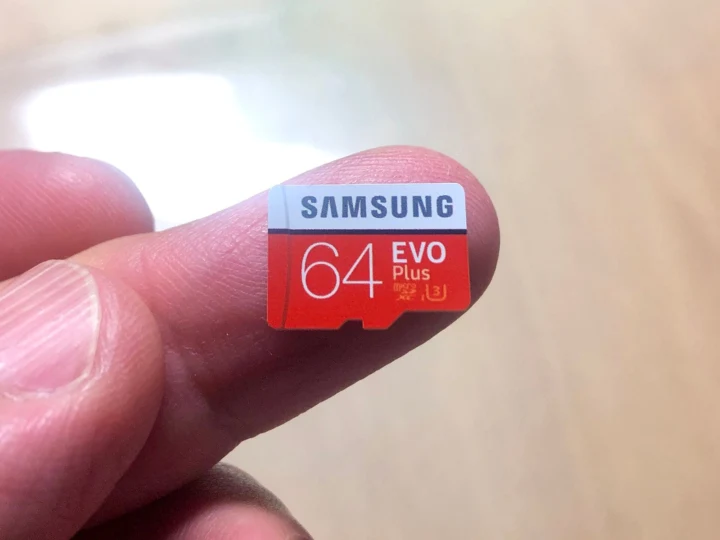
Finally, budget for storage and accessories only after choosing the device. Modern PC games are large, and internal storage fills quickly. A microSD card can be useful, but load times and game support vary. A protective case, stand, compact keyboard, or power bank may improve the ownership experience more than a minor spec upgrade.
The best handheld is the one that removes the fewest barriers between you and the games you already want to play. Check those games first, buy from a seller with sensible return terms, and give yourself a few evenings to tune settings before deciding whether portable PC gaming fits your routine.
This guide is based on the official spec pages from Valve, ASUS, Lenovo and MSI (Claw 8 AI+, Claw A8), checked on October 12, 2026.
Follow GamingBroject on Google: add us as a preferred source


Community
0 comments